Connecting Your Accounts
The integration needs credentials from both Kleer and HubSpot. Here's how each connection works.
HubSpot Connection
The HubSpot connection is established automatically when you install the app from the marketplace. It uses OAuth for secure authentication, and the integration refreshes its access automatically — you don't need to manage tokens or passwords.
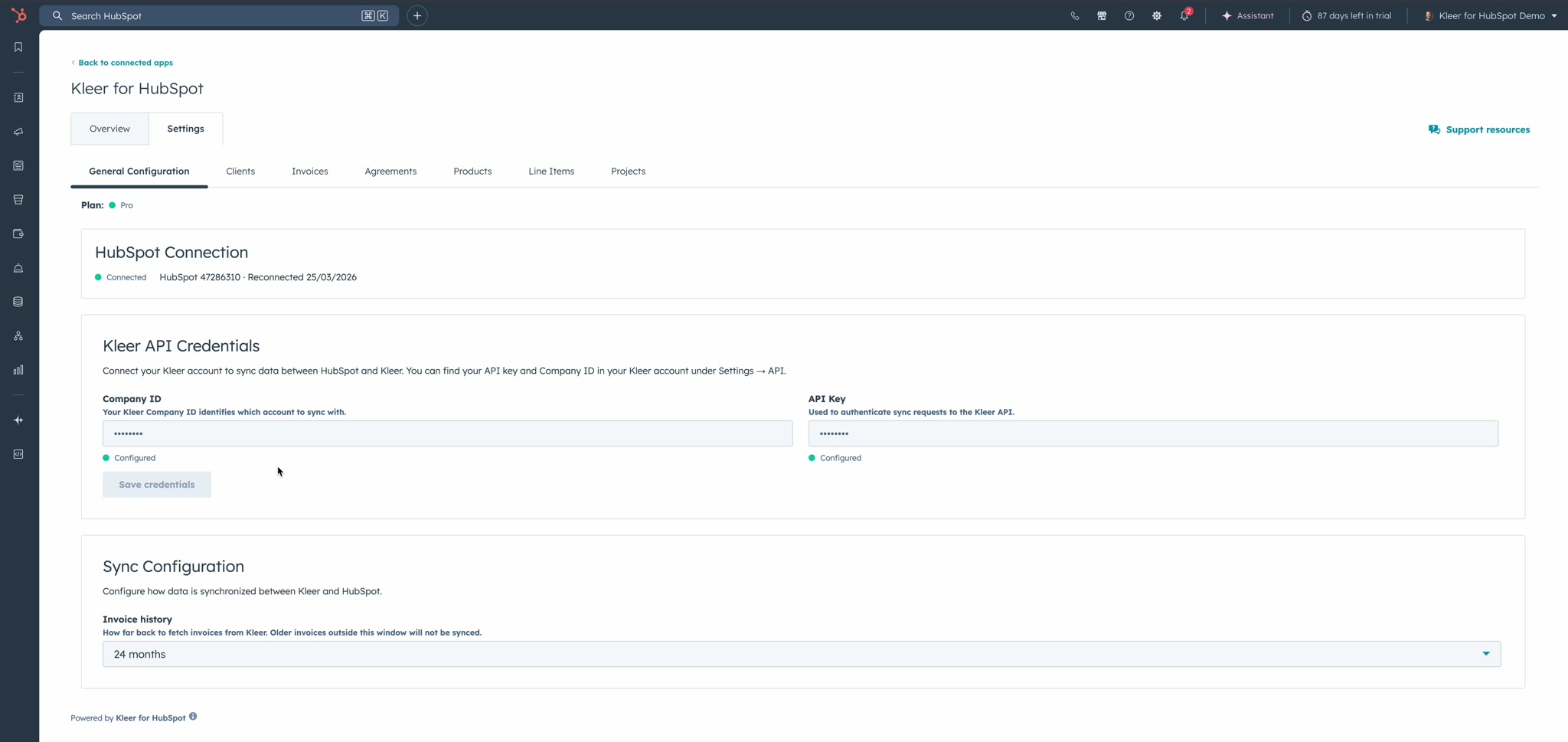
The connection status is shown at the top of the General Configuration tab:
Kleer Connection
To connect your Kleer account:
- Log in to Kleer and go to Settings → API
- Copy your Company ID and API Key
- In HubSpot, open the Kleer for HubSpot settings page
- Enter both values in the Kleer API Credentials section
- Click Save credentials
Both fields will show a green "Configured" status once saved.
Reconnecting
If you need to reconnect:
- HubSpot — Reinstall the app from the marketplace to re-authorize
- Kleer — Generate a new API key in Kleer and update it on the settings page
No data is lost if the connection is temporarily interrupted. The next sync picks up where it left off.
Security
- Your Kleer API key is encrypted at rest and never exposed in the UI after being saved
- The HubSpot OAuth token is managed automatically
- All communication uses HTTPS