Workflow Actions
Kleer for HubSpot provides workflow actions that let you create records in Kleer automatically from your HubSpot workflows.
Available Actions
| Action | Workflow type | What it creates |
|---|---|---|
| Create Kleer Client | Company-based | A new client in Kleer |
| Create Kleer Client (from mappings) | Company-based | A new client using field mappings |
| Create Kleer Invoice | Deal-based | A new invoice in Kleer |
| Create Kleer Agreement | Deal-based | A new agreement in Kleer |
| Update Kleer Agreement | Deal-based | Updates an existing agreement (e.g. upsells, renewals) |
| Create Kleer Project | Deal-based | A new project in Kleer |
| Create Kleer Project (from mappings) | Deal-based | A new project using field mappings |
Adding an Action to a Workflow
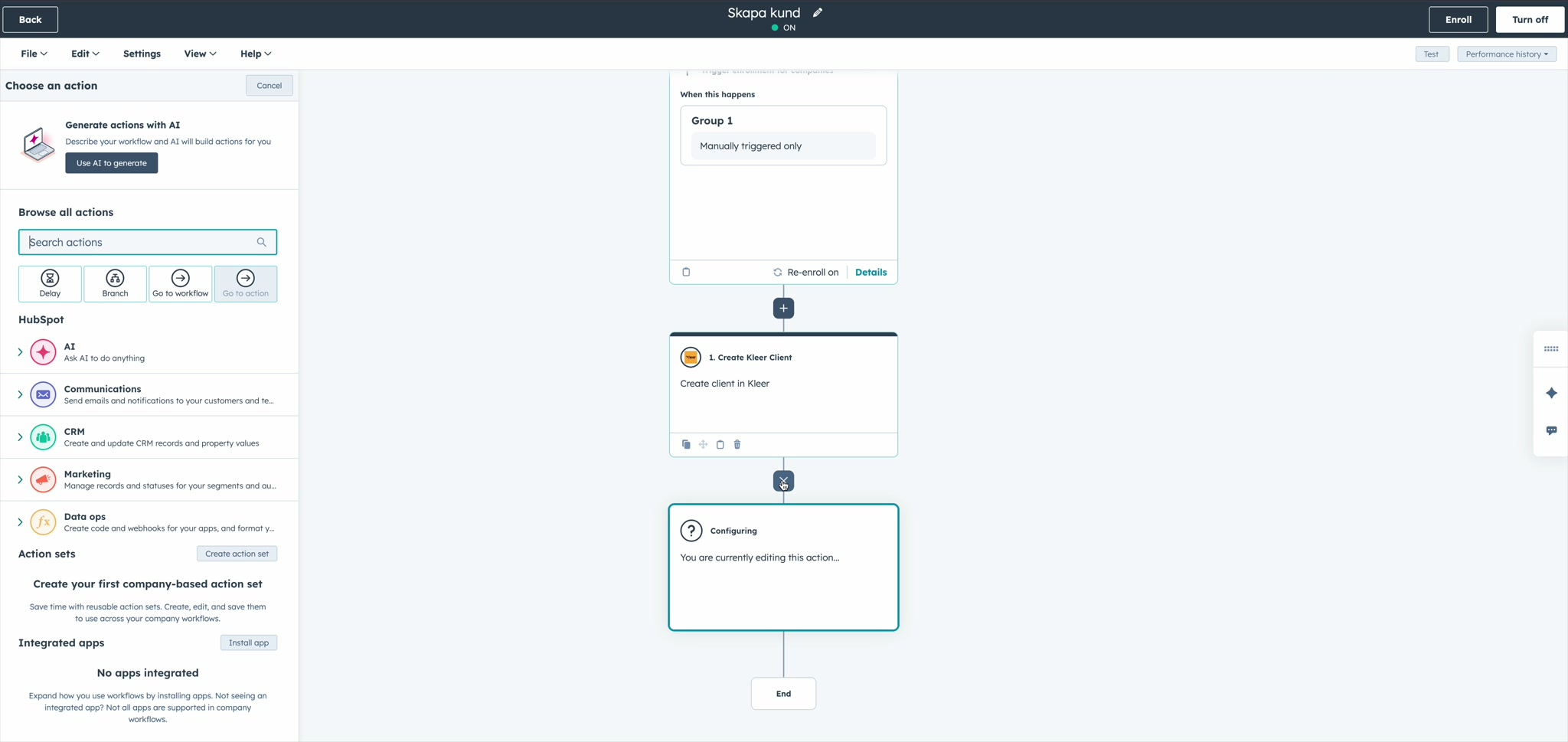
In the HubSpot workflow editor, click the + button to add an action and look for the Kleer actions under your integrated apps:
Configuring the Action
Once added, click the action to configure its input fields. Each field can be set to a static value or populated dynamically from the enrolled record's properties using HubSpot data tokens:
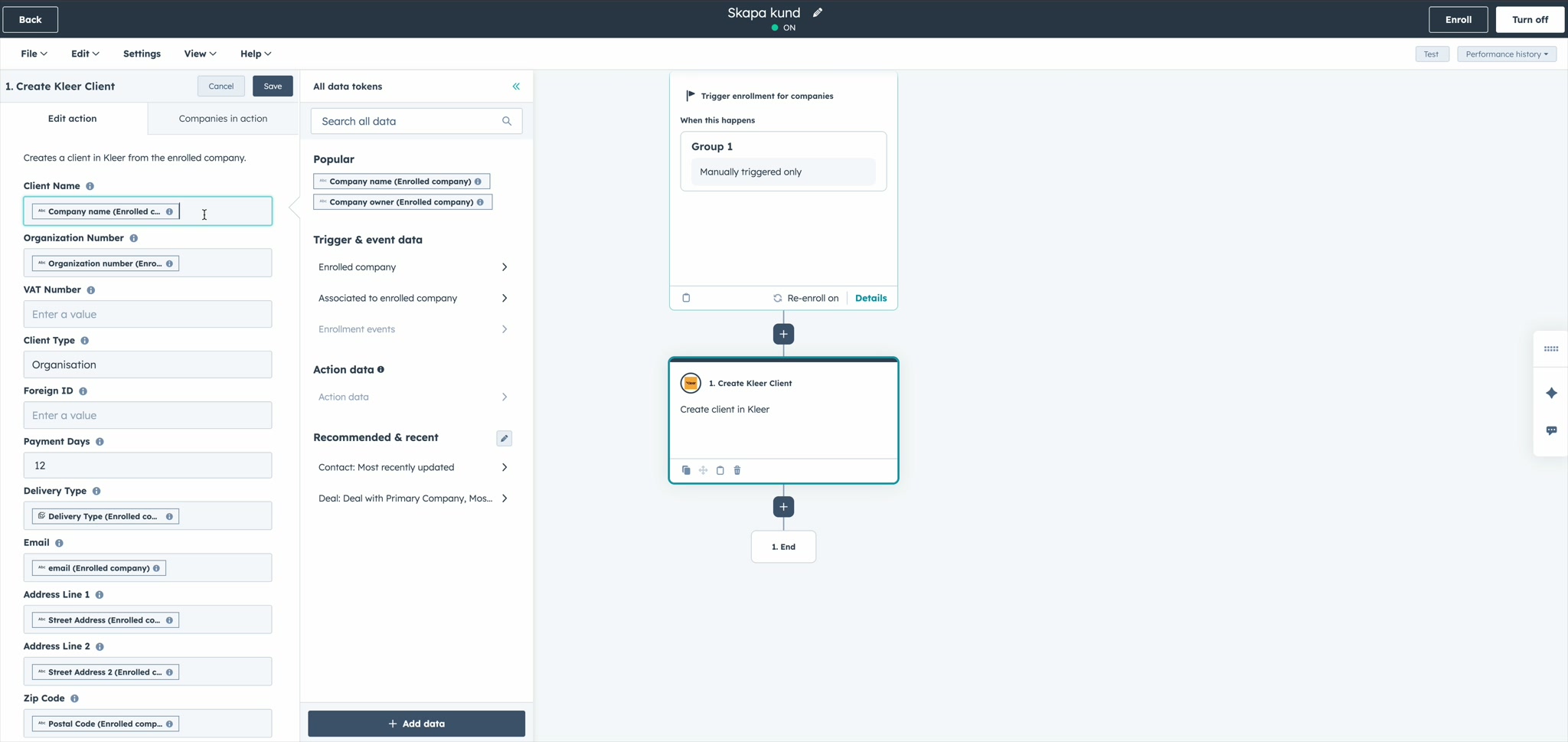
In this example, the Create Kleer Client action pulls the client name, organization number, email, address, and other fields directly from the enrolled company's properties.
Standard vs "From Mappings" Variants
Client and project creation actions come in two variants:
- Standard — You define field values directly in the workflow action input fields (static values or data tokens)
- From mappings — The action uses your configured field mappings to automatically pull values from the enrolled record's HubSpot properties
The "from mappings" variant is useful when you've already set up detailed field mappings and want your workflow actions to use the same configuration.
How It Works
- A record enters your HubSpot workflow and reaches the Kleer action step
- The integration reads the enrolled record (company or deal) from HubSpot
- It creates the corresponding record in Kleer using the configured input fields or field mappings
- The new Kleer ID is written back to the HubSpot record for reference
Idempotency
Create actions check whether a Kleer record has already been created for the enrolled HubSpot record. If the Kleer ID property is already set, the action skips creation to avoid duplicates. This makes it safe to re-enroll records.
The Update Kleer Agreement action does not skip — it always applies the update. Use HubSpot enrollment criteria to ensure each "change" deal only fires the update once.
Immediate sync back to HubSpot
After a Create Invoice, Create Agreement, or Update Agreement action succeeds, the integration immediately pushes the new or updated Kleer record back to HubSpot. The linked subscription or invoice is refreshed without waiting for the next scheduled outbound sync.
Per-Action Reference
For complete input fields, accepted values, and behavior details for each action:
- Create Client — includes the "from mappings" variant
- Create Invoice
- Create Agreement
- Update Agreement
- Create Project — includes the "from mappings" variant
Requirements
- For invoice, agreement, and project actions: the associated company must already exist as a client in Kleer (either synced via outbound sync or created via a client workflow action)
- The deal or company must have the relevant Kleer associations set up